 Khatwa
- Android app
- Free Android app
- Arabic and English
- Works without internet and without an account
What it does
Locked until you walk
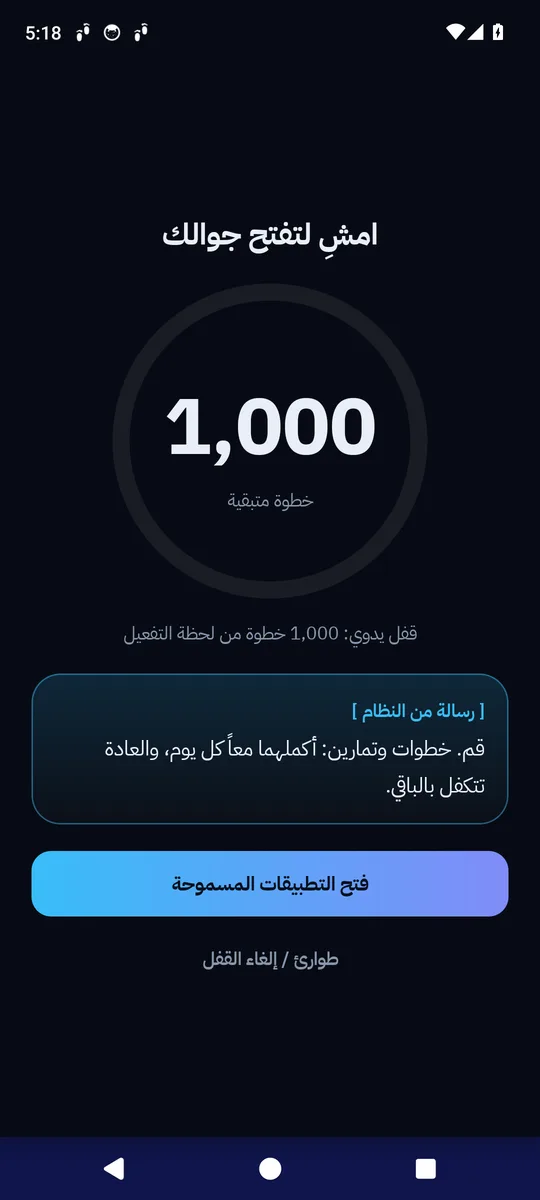
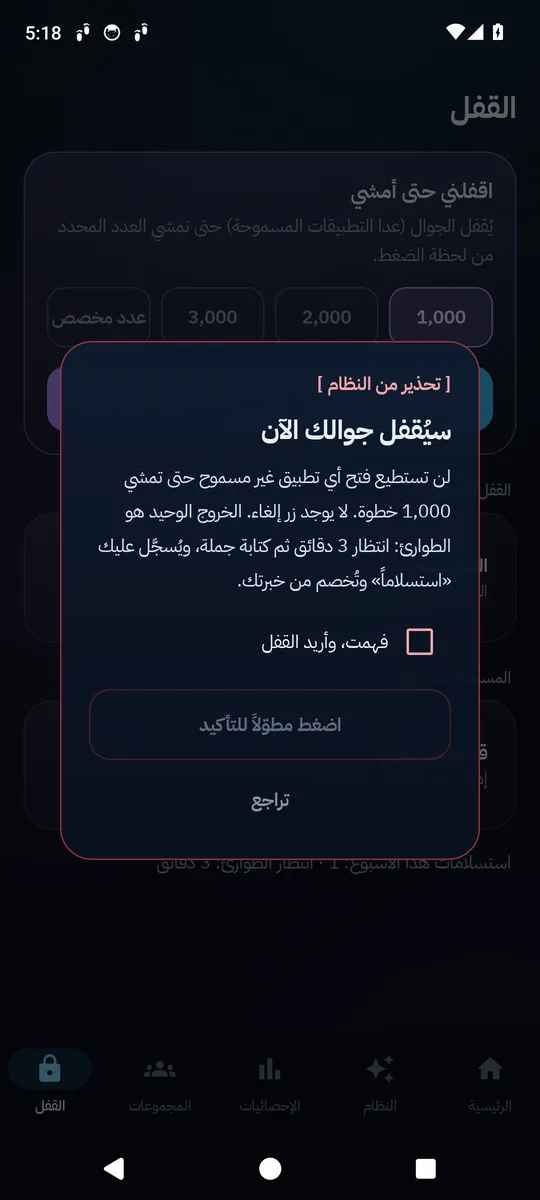
Choose a number of steps and lock the phone; it unlocks by itself once you have walked them. Includes scheduled locks, allowed apps, and a confirmation that prevents locking by an accidental tap.
Streak flame
It grows with every day you complete your quest, and changes through seven stages up to the Phoenix after 365 days.
Today's challenge
A nearby place to walk, at the distance that completes your goal, at the most suitable time based on the weather and prayer times. For cities in Saudi Arabia.
My walks and my map
Every walk with its route, distance and duration, plus a map of all the roads you have walked and how many kilometres of streets you have discovered.
Home workout program
Six months with no equipment: 77 exercises from easiest to hardest, progressing automatically based on how you rate each exercise.
Groups (optional)
Compete with your friends using an invite code: a podium for the top three and a leaderboard for the day, the week and the month.
Screens
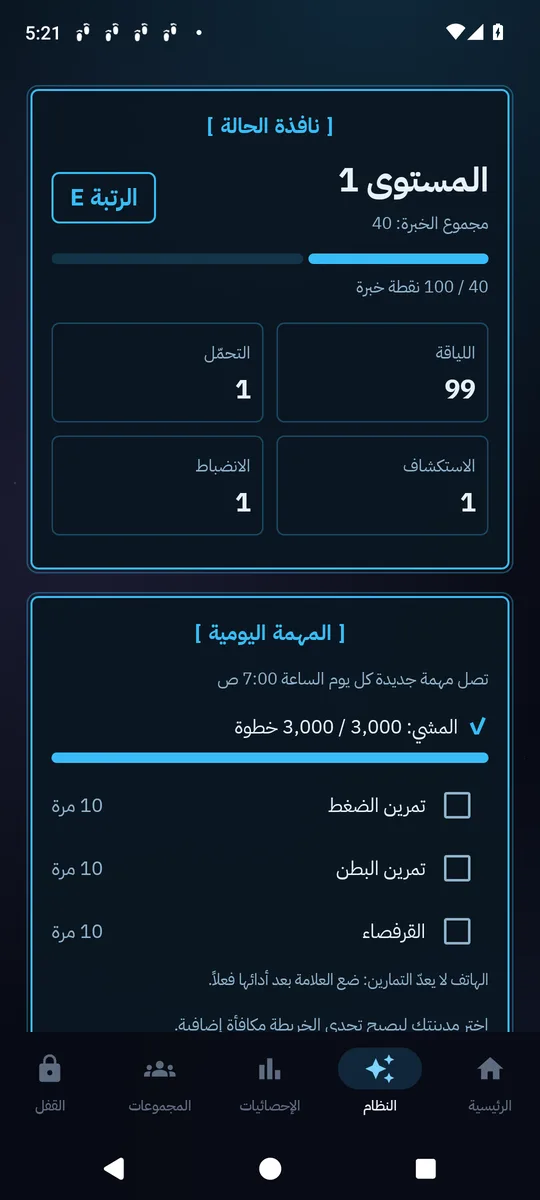
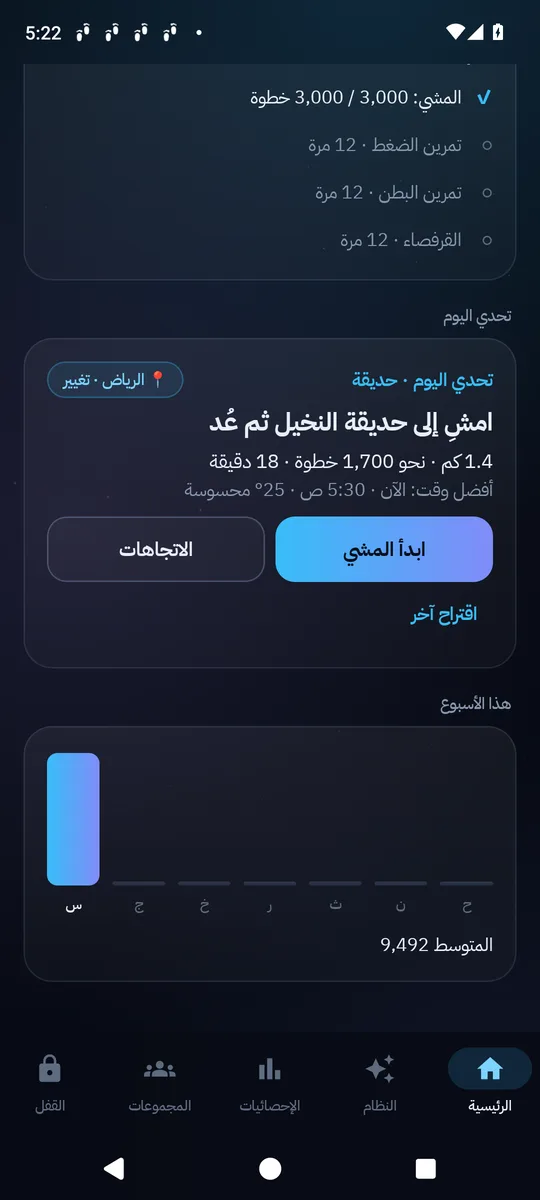
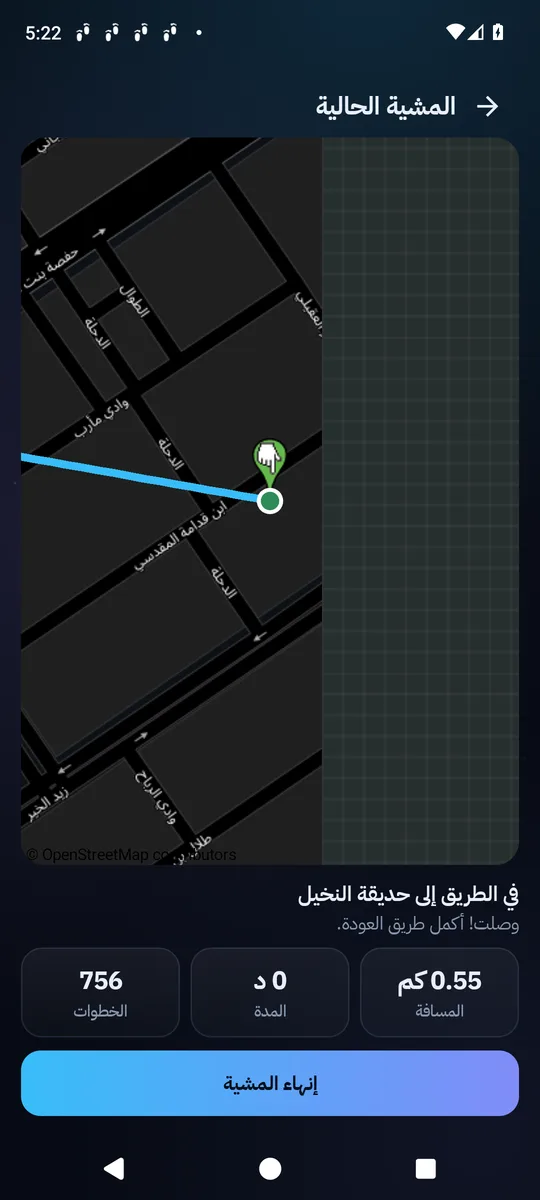
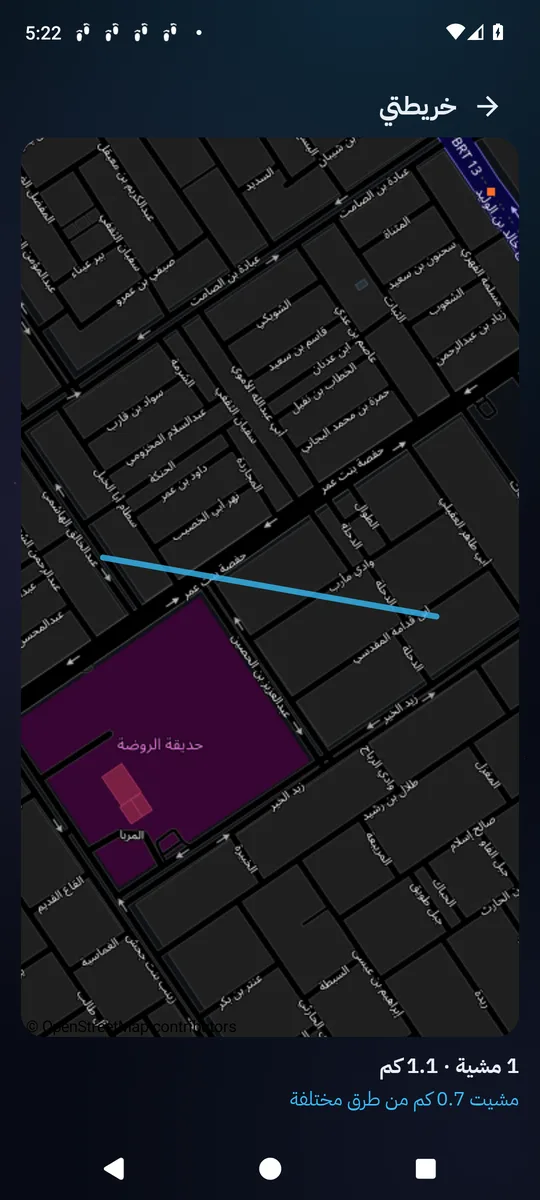
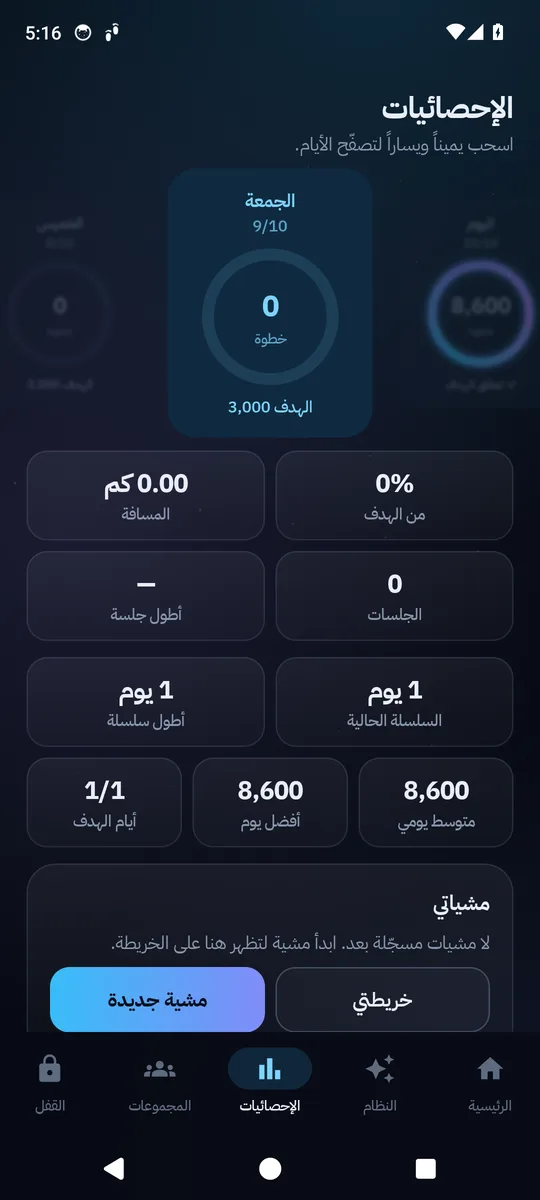
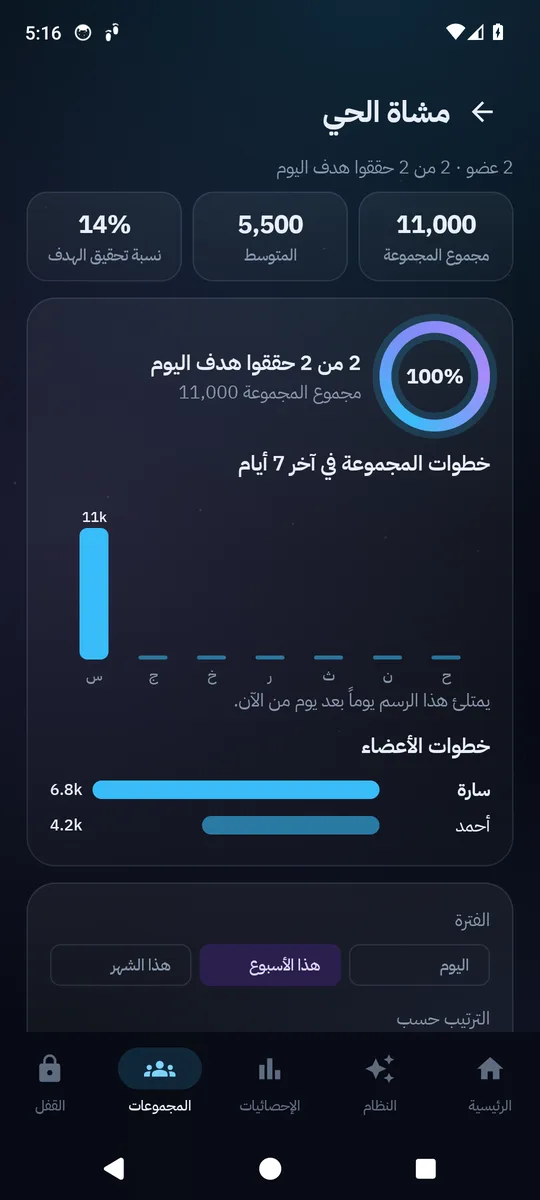
The System: walking as a game
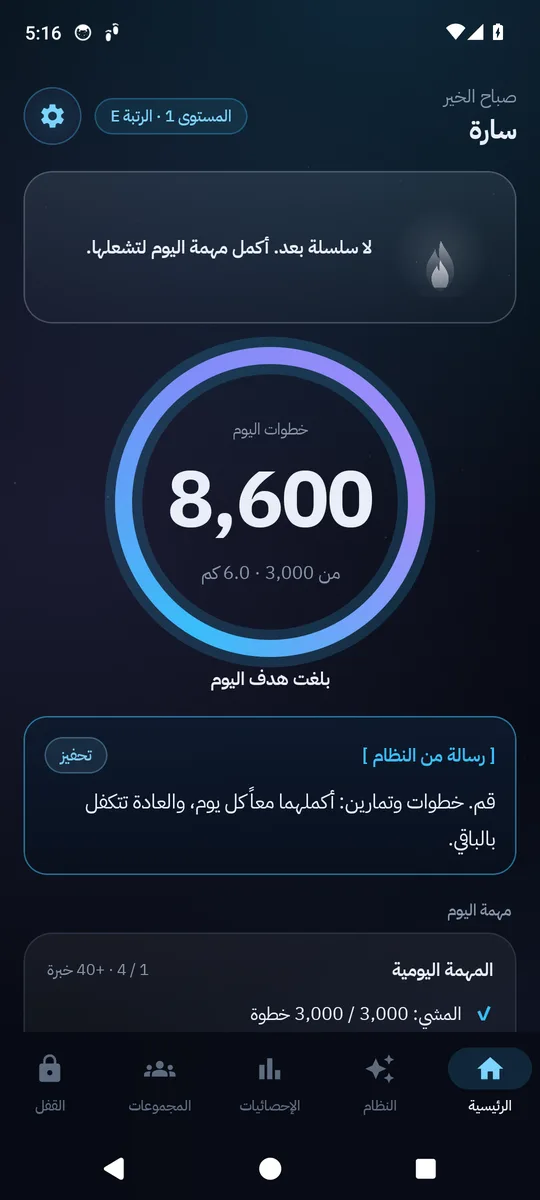
The "System" tab gives you a quest every day: a step goal, the day's exercise, and the map challenge as a reward.
Experience and levels
From rank E to rank S, and a status window with four values drawn from your real activity: fitness, endurance, exploration, discipline.
System messages
They state the facts in numbers first, then what is required of you now, in a tone that changes with what you deserve.
A penalty that means something
If you miss the quest, the phone locks the next morning until you walk the missing steps. One day a week is forgiven, and the penalty can be turned off.
The seven stages of the flame
Ember, then Flame (5), Blaze (10), Blue Fire (25), Violet (50), Golden (100), and Phoenix (365 days).
Getting started
- 01
Download the file and open it
If you are asked to "allow installing from this source", allow it. If Play Protect blocks it, choose "Install anyway".
- 02
Follow the welcome screens
They explain each permission before asking for it. Choose your city and enter your height so distance can be calculated.
- 03
Turn on the lock
The app guides you through enabling the accessibility service and display over other apps. On Android 13 or newer, first allow "restricted settings" from the app info page.
- 04
On Samsung
App settings → Battery → "Unrestricted", so step counting does not stop.
Questions
Is the app free?
Yes.
The lock is not working?
In the Lock tab, under the "Lock is not working" alert, tap "How do I enable it?" and follow the steps. Or check Settings → Permission status.
Steps are not being counted?
The phone has to be with you while you walk. Check the permission status, and the battery restrictions on Samsung.
What if I need my phone in an emergency?
The lock screen has an emergency button: a wait, then typing a sentence. It is recorded as a "surrender" and has consequences in the game (experience is deducted, the wait gets longer, and the flame turns to ash). Half of the deduction can be recovered with an atonement quest.
What about privacy?
Your routes stay on your phone and in your own private backup only, and are never shown to groups. Weather is requested for the centre of your city, not for your location. Groups are off until you turn them on, and then only your nickname and your step counts are sent.
Moved to a new phone?
With an account: sign in and your data and groups come back. Without an account: Settings → Backup → Export, then import on the new phone.
How it was built
A native Android app that I designed, built and released on my own. It is written in Kotlin with Jetpack Compose, Room and WorkManager, with the core logic in a pure-Kotlin module that is tested without the Android SDK. Steps come from the phone's hardware step sensor. Firebase (Auth, Firestore with tested security rules, App Check) backs the optional account and groups, and GitHub Actions runs the unit and emulator tests and publishes signed releases.
- Native Kotlin and Jetpack Compose, bilingual and right-to-left first
- Optional phone lock until the daily step goal is met
- Daily walk challenge using OpenStreetMap, weather, and prayer times
- Signed releases from CI with unit and emulator tests
- Kotlin
- Jetpack Compose
- Room
- WorkManager
- Firebase (Auth, Firestore, App Check)
- GitHub Actions
Works without internet and without an account. Only the daily challenge and the maps need internet, and the account is optional.
Consult a doctor before starting the workout program, especially if you have high body weight, joint pain, or a heart or blood pressure problem.
Maps and places © OpenStreetMap contributors. Weather by Open-Meteo.com.
More
All apps
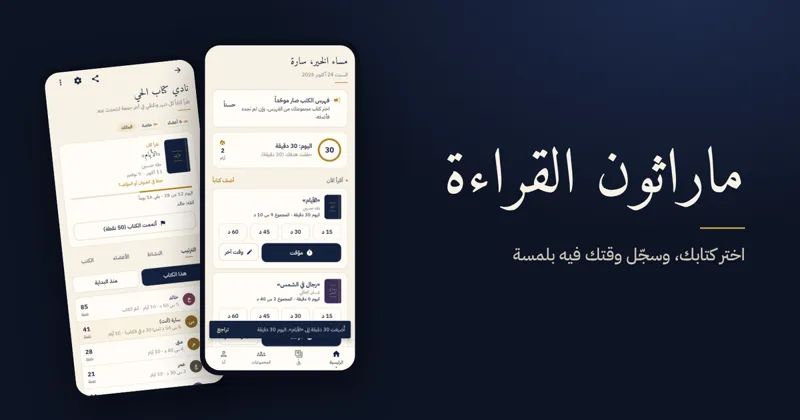
Reading MarathonAndroid app
One shared book per challenge, a daily log, points and badges for reading groups.

ShashaAndroid TV · Android
Calm YouTube for the family TV and phone: no ads, with full protection for children.


VoxaWeb app · Android
Turns voice notes, meetings, lectures and YouTube videos into text that shows who said what, with summary, translation and export.