 Munazara
- Web app
- Free
- Web app
- Arabic and English
- No accounts, no sign-in
- The debate is kept on your device
Watch
What is this app? Watch the explainer
What it does
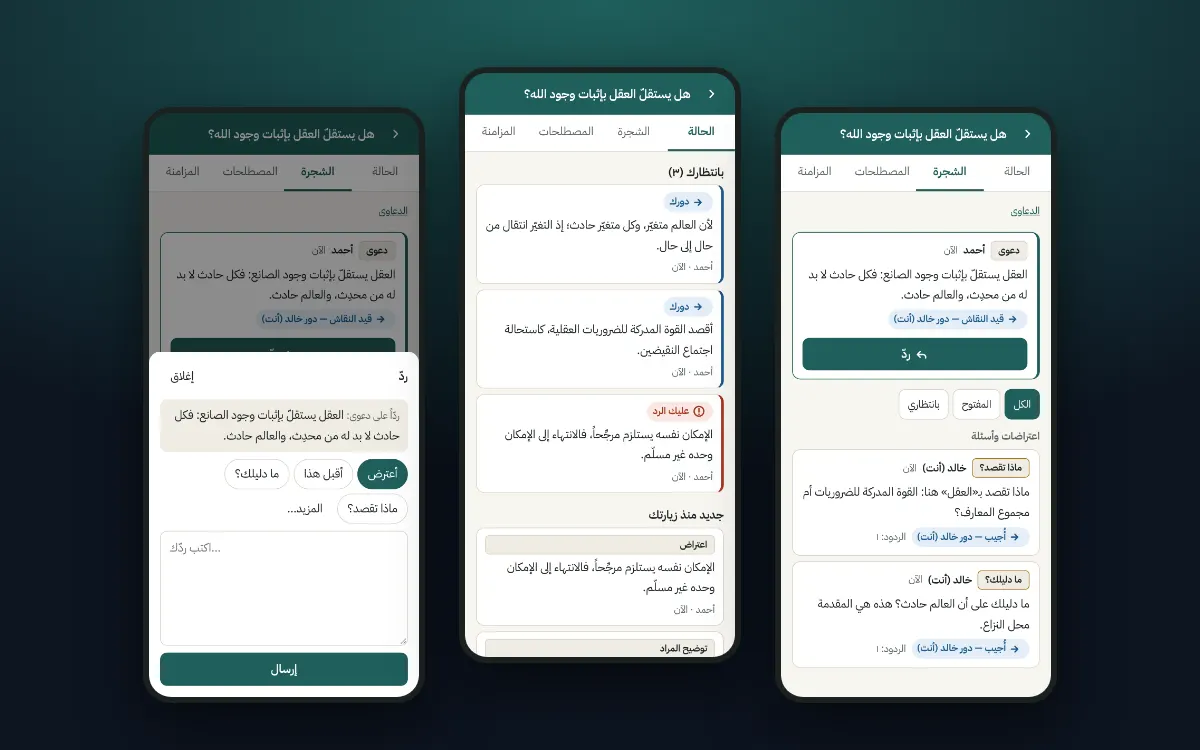
Every reply under the point it answers
Every reply is tied to the exact point it answers, so the discussion becomes a tree: the claim at the top, under it its proofs and the objections to it, and under each objection the answer to it.
It always knows whose turn it is
If your friend asks for the proof of your claim, you see "You owe a reply". Once you answer, the turn passes to them and they see "Your move". They then choose: accept your answer, object to it, or propose that you agree to disagree.
No point ends in silence
A point that has not been answered stays visible however much time passes, until it is answered, conceded or withdrawn.
Moves taken from the classical art of debate
The buttons are not arbitrary; they come from a long-established discipline in our heritage, the etiquette of inquiry and debate (adab al-bahth wal-munazara). "What do you mean?" asks for the meaning to be clarified. "What is your proof?" asks for the proof of a claim. "I object" comes with the reason for the objection. Refutation (naqd) defeats a proof with a case where its conclusion fails. Counter-argument (mu'arada) sets up an opposing proof. "Document the quote" is for when your friend relays someone else's words. Then "I concede" if you are convinced, or "We agree to disagree" if you end up at two different starting principles.
A list of terms
If a word means different things to the two of you, such as the word "reason", you add a definition for it. It then appears in the list of terms as agreed or disputed. That way two people never argue while each means something different.
Fair: it declares no winner
The app is fair: it rules for no one, gives no points and declares no winner. It only organises the conversation and shows each side what is waiting on them, to the same degree. The aim, as the people of debate say, is for the truth to appear, even if at your friend's hand.
Private
No accounts and no sign-in. The debate is kept on your device, and everything that leaves it is encrypted. Its key is only in the invite link, so send the link to your friend alone.
Screens
Why it was made
Imagine you have been discussing something with a friend for months over WhatsApp voice notes, and the question is a big one. Every message carries arguments and questions, then disappears up the chat. Over time four problems appear.
First
Arguments get lost among the messages.
Second
Questions stay unanswered without anyone noticing.
Third
Words change their meaning halfway through the discussion.
Fourth
Neither of you knows exactly where the discussion has got to.
Why it matters
Because a long discussion deserves to be kept and built on, not lost in messages. And because it lets you both know where you agree, exactly where you differ, and what is still unanswered. The conversation becomes clearer, fairer and more fruitful.
Privacy
Where is the debate stored?
On your device only (browser storage). There is no server of ours and no accounts.
What leaves your device?
"Manual" mode: nothing except what you send yourself (an update link or file). "Sync via public servers": encrypted copies of your points are sent to public Nostr relays run by others. They cannot read the content, but they see timing, size and IP address, and can link one debate's activity together. They do not promise to keep data long; that is why every device keeps the whole debate.
The link is the key
Whoever has the invite link can read and take part. The link stays in the WhatsApp chat and its backups (unencrypted unless you turn on WhatsApp's encrypted backup), and may stay in browser history. A sent link cannot be revoked.
Signatures
Every point is signed with its author's key, kept on their device, so a link holder cannot write as an existing participant, but can join under a new name. If you send your "identity link", whoever has it can write as you.
What we never do
No analytics, trackers, or third-party fonts or scripts, and no search-engine indexing.
Device inspection
The debate is stored unencrypted on your phone; anyone who can open your phone can read it. You can hide titles on the home screen and delete a debate from the device at any time.
Getting started
- 01
Start
Write the question in dispute and your claim, then share the invite link with your friend on WhatsApp.
- 02
The "Status" page
The first thing you see: "Waiting on you", meaning points you owe a reply on, and points where it is "your move" after your friend answered. The same is shown for your friend.
- 03
Replying
Open any point and tap "Reply". The app suggests a fitting move (e.g. "I object" or "Answer with a reason"); you can choose another: "What is your proof?", "What do you mean?", "I accept this", and under "More": refutation with a witness, counter-argument, ask for the source, define a term, agree to disagree.
- 04
Silence closes nothing
An open point stays open until it is answered, conceded, withdrawn, or you agree to disagree on it.
- 05
Terms
If a word means different things to you, add "Define a term"; it appears in the Terms tab as agreed or disputed.
- 06
Dictation
To speak instead of typing, use your phone keyboard's microphone. On recent iPhones, dictation supports Arabic on-device. With Gboard, audio may go to Google's servers; try airplane mode to see whether it works offline. You can also copy WhatsApp's own transcript of a voice note and paste it here.
- 07
Keep your debate safe
Install the site to your home screen and save a backup now and then. On iPhone the installed app has storage separate from Safari: paste the invite link inside it after installing.
In a private window or inside WhatsApp's browser the debate may be lost when you close it. Open the link in your normal browser.
The explainer is a video with Arabic narration and captions (about 6 minutes): the problem it solves, the idea, and how to use it.
The rules of debate etiquette inside the app are adapted from the debate etiquette of al-Shinqiti and others.
More
All apps
KhatwaAndroid app
Counts your steps, locks your phone until you walk, and turns walking into a game.

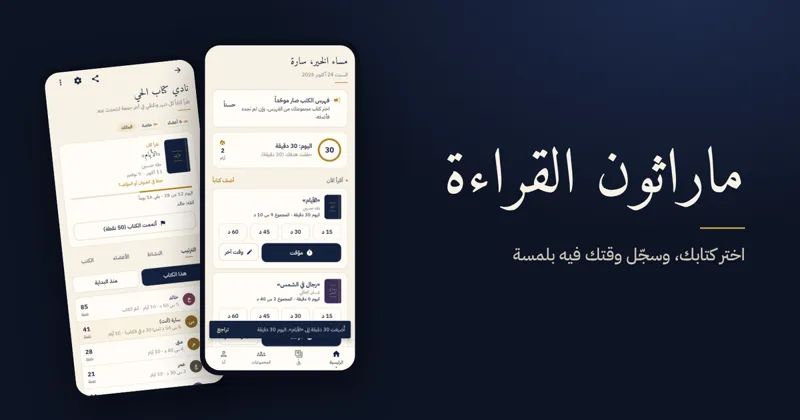
Reading MarathonAndroid app
One shared book per challenge, a daily log, points and badges for reading groups.

ShashaAndroid TV · Android
Calm YouTube for the family TV and phone: no ads, with full protection for children.